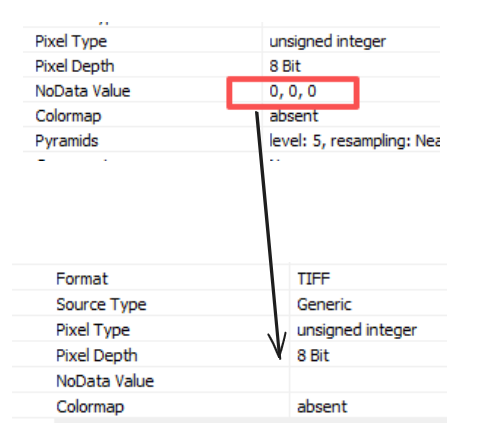
使用 rasterio 将 0 值转换为 NoData 值

使用 rasterio 将 0 值转换为 NoData 值
ytkz我以前喜欢用gdal,不喜欢用rasterio。
因为rasterio在打包的时候存在很多问题。
但是,近一个月来,我使用rasterio的次数越来越多,主要原因还是rasterio包装了很多实用的api接口。
至于打包的问题,我后续会专门写一篇公众号去介绍怎么解决rasterio打包的问题。
今天给大家分享一段Python代码,它的功能很简单: 读取原始影像将影像的 0 值转换为 NoData 值。
import numpy as np
import rasterio

def fix_no_data_value(input_file, output_file, no_data_value=0):
    with rasterio.open(input_file, "r+") as src:
        src.nodata = no_data_value
        with rasterio.open(output_file, 'w',  **src.profile) as dst:
            for i in range(1, src.count + 1):
                band = src.read(i)
                band = np.where(band==no_data_value,no_data_value,band)
                dst.write(band,i)

# usage example
input_file = "input_image.tif"
output_file = "output.tif"
no_data_value=0
fix_no_data_value(input_file, output_file,no_data_value)